Built for GMP manufacturing

Is your paper trail as spotless as your cleanrooms? 

Azumuta supports pharma and life science companies by digitizing checklists, audits and logbooks for every batch production. Every step gets recorded, checked and double checked, and kept for as long as your retention policy requires.

Already trusted by 2 of the top 5 pharma companies

Operator in a cleanroom gown checking a step on a tablet at a filling line
The challenge around the batch

Your entire batch production is digitized, while everything around it still runs on paper. Nobody notices an error or a missed value until it comes up in a review.

Does this sound familiar?

  • A value is typed wrong, and review is the first to catch it
  • The version on the line is not the one QA approved
  • The instruction is in one language. The team speaks five
  • The next shift gets a note they can miss
The solution

How every step stays on record

Continuity

Network down? The checklist keeps going

It runs in the browser or as an app, and it keeps working when your network drops. Records sync once the connection is back. Approved instructions can be exported automatically, so your business continuity plan always has a current copy. It can run on your own infrastructure.

Work instructions and checklists

Operators only ever see the approved version

Your operators work from the version QA approved, in their own language. Changes go through the author, approver and QA sign-off you configure before they reach the floor, and every revision is kept. While a checklist is in approval it stays locked. The person who wrote it cannot approve it alone.

Checks and calculations

A wrong value stops the operator on the spot

Each value is checked the moment it is entered. A value outside its limits is recorded as a non-conformity, and the step stays open. The step can also calculate the next quantity from the weight just entered, so the correction happens on the line.

Signatures and qualifications

The person who did the work is on the record

Each step is recorded under that person's own account. They re-authenticate with your SSO or password. A signature is added when your procedure asks for one, including a second approval. Only people with the right role and training can execute the step.

Audit trail

The record follows your retention policy

Every login, execution and change is logged with who, what and when, in the order it happened. During your retention period, nobody can edit or delete an entry. A correction is a new line. When the period ends, the record is removed under your own policy.

Logbooks and records

Any record, in seconds

Checklists, audits and logbooks sit in one place. At handover, the next shift sees what the last one left open. "Was the 6pm cleaning done?" is answered on screen. Need a record in another system? Export it to PDF.

Complete a checklist and watch the record write itself.

The operator enters a weight, and a value outside its limits keeps the step open. The last step takes a second signature.

Checklist · CL-021 v4 (approved) Cleaning and line clearance

A. Santos, operator, is closing this checklist.

Audit trail Insert-only

Every login, value and change, with who, what and when. During your retention period, nobody can edit or delete an entry.

This shift

Cleaning and line clearanceCL-021
Version 4 In progress A. Santos
Shift handoverLB-014
Version 2 Open Next shift
Environmental roundEM-008
Version 6 Due this shift L. Chen
Packaging line clearanceCL-044
Version 3 Open N. Okonkwo

In order.Steps close in the order the work happened, so nothing is recorded before it is done.

Checked on the spot.A value outside its limits is a non-conformity, and the step stays open until the value is right.

Four eyes, when you ask for them.The person who did the work cannot approve it alone. A second approval is recorded when your workflow requires it.

The standard

A clean trail has nothing to explain

Whatever system you choose, hold it to this standard.

  • The person who did the work is recorded on their own account. A signature is added when your procedure asks for one. Steps close in the order the work happened.
  • Only the version your QA approved can be executed.
  • Approval is a workflow you configure. Multiple sign-offs are optional, so you have an extra set of eyes on important steps. The record shows who approved it, and when.
  • A value that's outside its limits is recorded as a non-conformity, along with who entered it and when.
  • Records follow your legal data retention policy. During that period, nobody can edit or delete an entry. A correction is a new line. When the period ends, the record is removed under your policy.
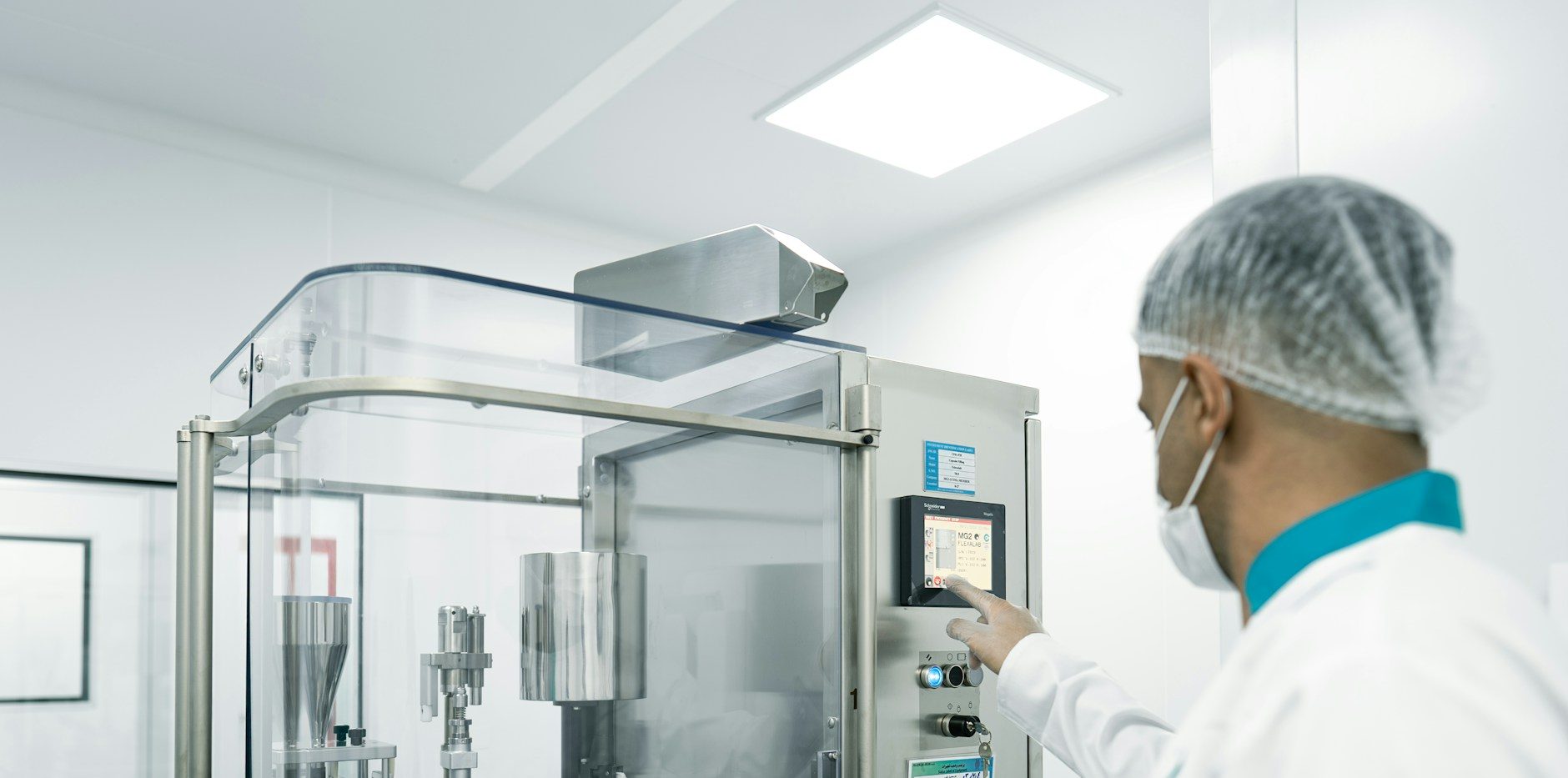
Operator in a hairnet and mask running a stainless filling line in a cleanroom

Azumuta works alongside your MES

Your MES runs the batch. Checklists, audits and logbooks sit beside it. This does not replace your MES, your ERP or your PLM.

Cleaning logs and line clearanceCleaning rounds and line clearance checklists, recorded under the person who did the work.
Equipment assembly and changeoversTanks and vessels assembled step by step, with visuals clear enough that a new operator gets it right the first time.
Pre-, in- and post-production checksThe manual checks your MES does not cover, recorded against the right order.
LogbooksEquipment, room, utility, housekeeping and shift logs, filled in as part of the work.
Environmental monitoring and periodic checksDaily, monthly and quarterly rounds across the site, each one recorded under the person who did it.
Weighing and calculationsEnter a weight, get the next quantity. Nobody reaches for a calculator.

GMP and validation

Built to get through validation

You get the controls that 21 CFR Part 11 and EU GMP Annex 11 ask for: personal accounts, electronic signatures, version control and an audit trail. During your retention period, that trail cannot be edited. Compliance itself comes from validating the system for your intended use. Your QA team knows how to validate. Each release comes with the documentation to support that.

Every change to a validated system means revalidation. So you choose which releases to take, and when.

What you get
Documentation with every GMP releaseRelease notes that state the GxP impact of each change, with the risk assessment built in.
A support window for every releaseYou decide when to upgrade.
A Quality AgreementYour QA can audit how the product is developed and released.
A Supplier Qualification DossierFor your QA, including a GAMP 5 deliverable mapping.

Global governance, local flexibility

  1. 01You validate it for your intended use.
  2. 02Your central team owns the templates. Each site adapts them to its lines, one site at a time or all at once.
  3. 03Checklists, logbooks, work instructions and training records on one platform, so IT supports one system instead of several.
  4. 04Connect it within your software landscape.
Multiple use cases

2 of the top 5 pharma companies are already moving their GMP paperwork to Azumuta

Use case 01 Digital checklists

GMP checklists and logbooks, signed at the step

A top-5 pharma company runs the GMP paperwork around the batch as digital checklists, from cleaning rounds to the shift logs.

  • Cleaning and housekeeping logs, signed step by step where the work happens
  • Shift logs and periodic checks the next shift picks up where the last one stopped
  • Double sign-offs and approval flows, with electronic signatures through the company's own single sign-on
  • Hosted in the company's own private cloud
Use case 02 Production orders and eLOTO

Production orders and digital lockout-tagout

At a large sterile manufacturing site in Europe, a top-5 pharma company uses one platform for GMP work on the line and safety-critical maintenance.

  • Production orders: operators follow each order step by step on screen, with every check recorded against that order
  • Digital lockout-tagout: maintenance plans each lockout, and every lock is confirmed by scanning its QR tag before work starts
  • Maintenance work instructions anyone on site can look up
  • Installed on the site's own servers, with GMP and non-GMP work in separate environments

Yes, it runs on your own infrastructure. Here are the other frequently asked questions

Is Azumuta 21 CFR Part 11 compliant?

Azumuta gives you the controls Part 11 asks for. You demonstrate compliance by validating the system for your intended use.

Is Azumuta GMP validated?

You validate it, for your own intended use. Every GMP release comes with documentation to support that.

Do we have to revalidate every release?

Only the releases you take. You choose when to upgrade, within the supported window.

Does it replace our MES?

No. Your MES keeps the batch. Checklists, audits and logbooks sit beside it. It does not replace your MES, your ERP or your PLM.

Can we run it on our own infrastructure?

Yes. It can run on your own infrastructure.

What if the network goes down?

Operators keep working offline, even in the browser. Records sync when the connection is back.

Can someone approve their own work?

No. Approval is a workflow you configure. The person who did the work cannot approve it alone, and the record shows who approved it.

Can our QA audit the supplier?

Yes. A Quality Agreement covers how the product is developed and released.

Do we need integrations to start?

No. Most sites start standalone.

Can records go into our other systems?

Yes, as PDF exports.

How do operators log in and sign?

Personal accounts with SSO, badge or password, and re-authentication when they sign. No shared logins.

Who can execute or sign a step?

Only users with the right role and qualification.

Book a demo

Bring one checklist. See the trail it leaves.

Bring a checklist, audit or logbook you know well, like a cleaning log or a line clearance. You leave with the record it would leave.