A variant matrix, not a file per build
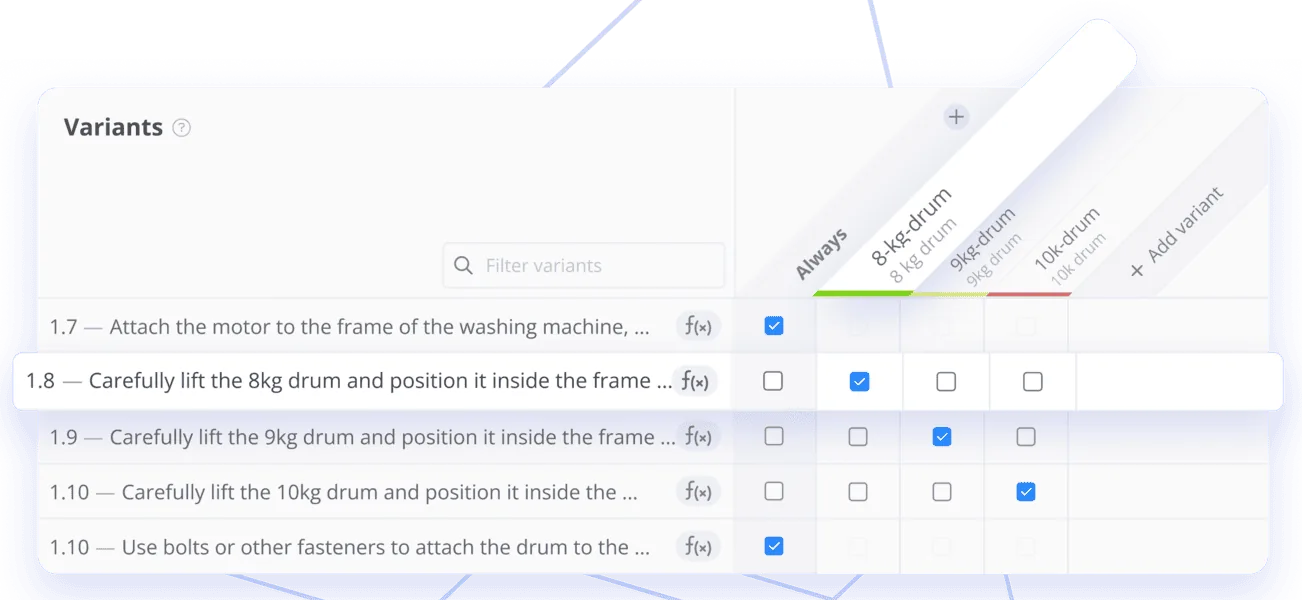
One instruction covers every configuration. Mark a step as always shown, or only for a variant such as the 8 kg, 9 kg, or 10 kg drum. Change a shared step once and it updates everywhere it is used.

Document Extractor
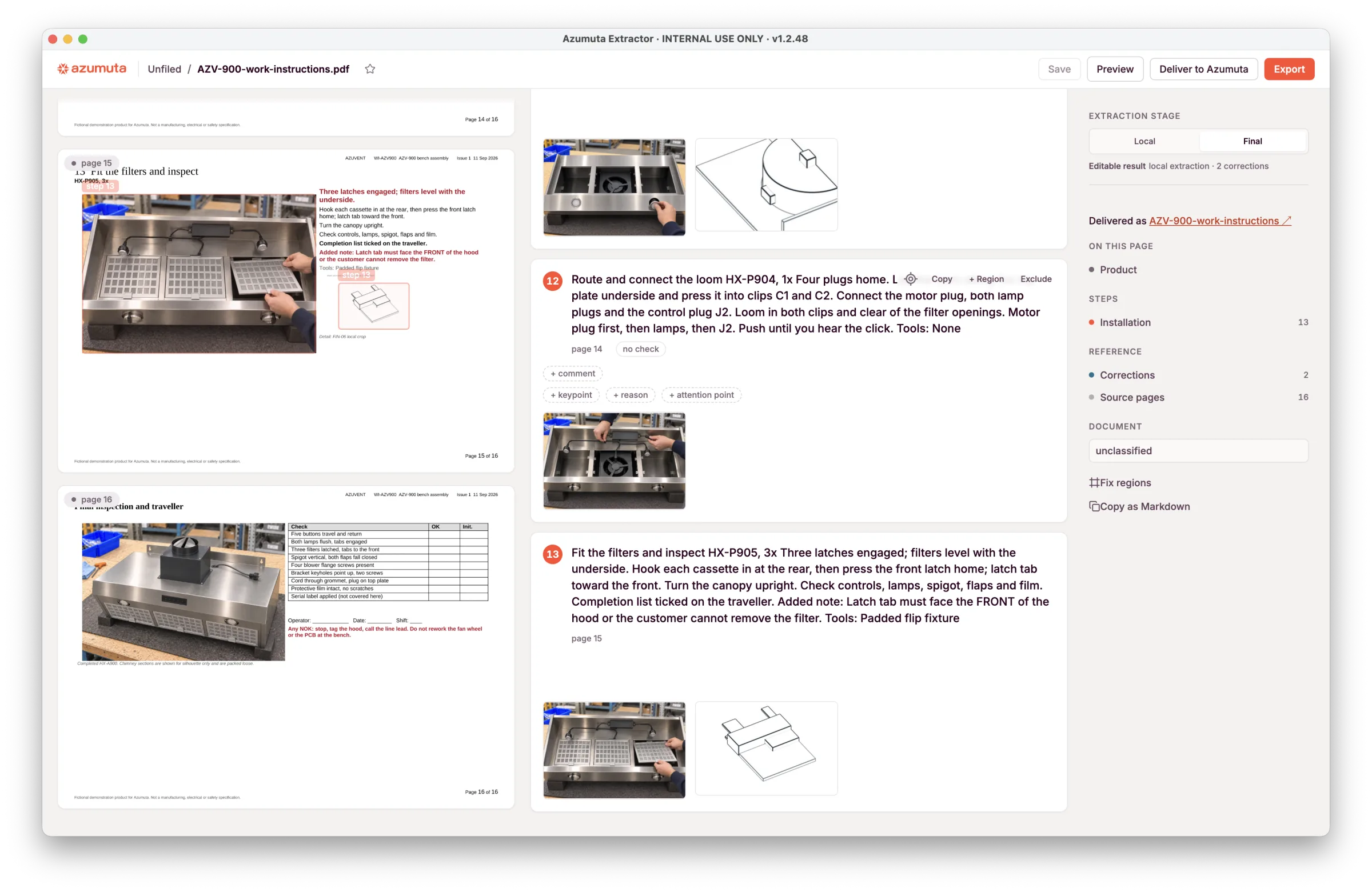
PDFs, Word files, and slide decks become a structured draft. Every review item links to the source page. Nothing reaches Azumuta until your team approves it.
During the demo
Manufacturers running Azumuta


See it
How it works
Document Extractor classifies the file, renders each page, recovers the text, and finds figure regions. Page order and printed page numbers are checked. A long document runs in chunks you can resume.
Review items link to the source page: missing steps, unused figures, unclear text, conflicting regions, and missing references. Edit the text, drop a step, or redraw a figure. An independent check flags anything that disagrees with the source.
The approved package keeps step order, figures, warnings, notes, parts, tools, and checks. Azumuta previews it, creates the instruction, and copies the media into your workspace.
What comes across
Manufacturing documents mix text, tables, drawings, and scans. The layout often decides which photo belongs to which step. Document Extractor keeps that page in view, so a reviewer can check the link before the instruction is created.
In Azumuta
Document Extractor gets an approved instruction into Azumuta. From there, the same instruction covers variants, checks in the step, signed revisions, and every language your sites need.
One instruction covers every configuration. Mark a step as always shown, or only for a variant such as the 8 kg, 9 kg, or 10 kg drum. Change a shared step once and it updates everywhere it is used.
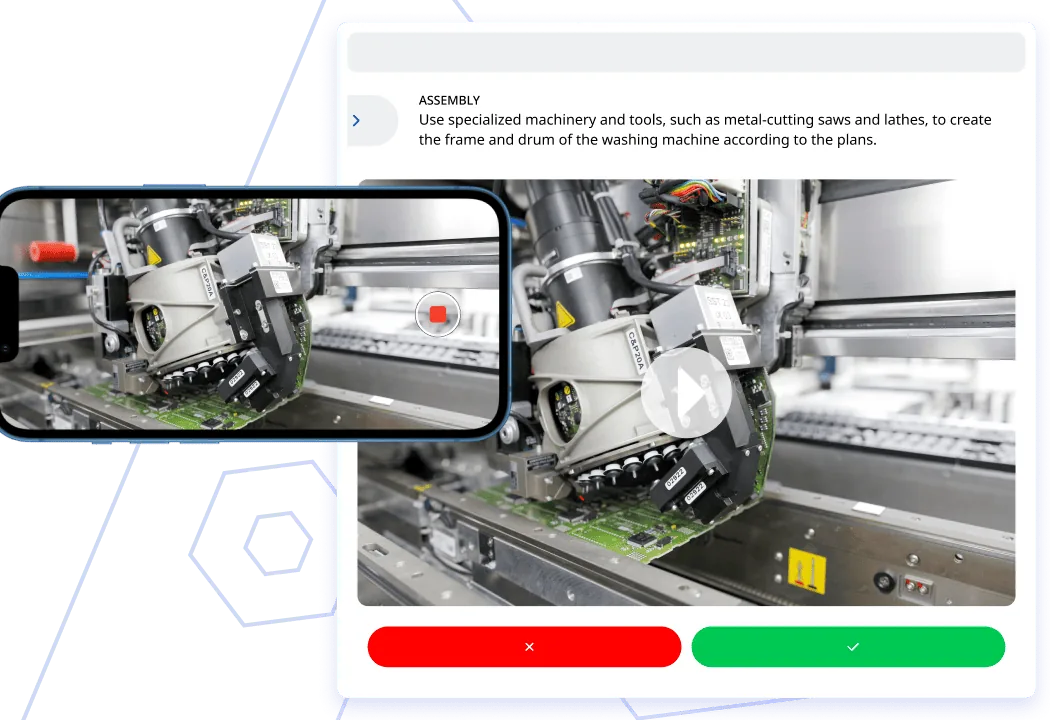
The check sits with the work. Operators see the video, then record a pass or fail before the step continues. Tolerances stay in the instruction, not on a separate sheet.
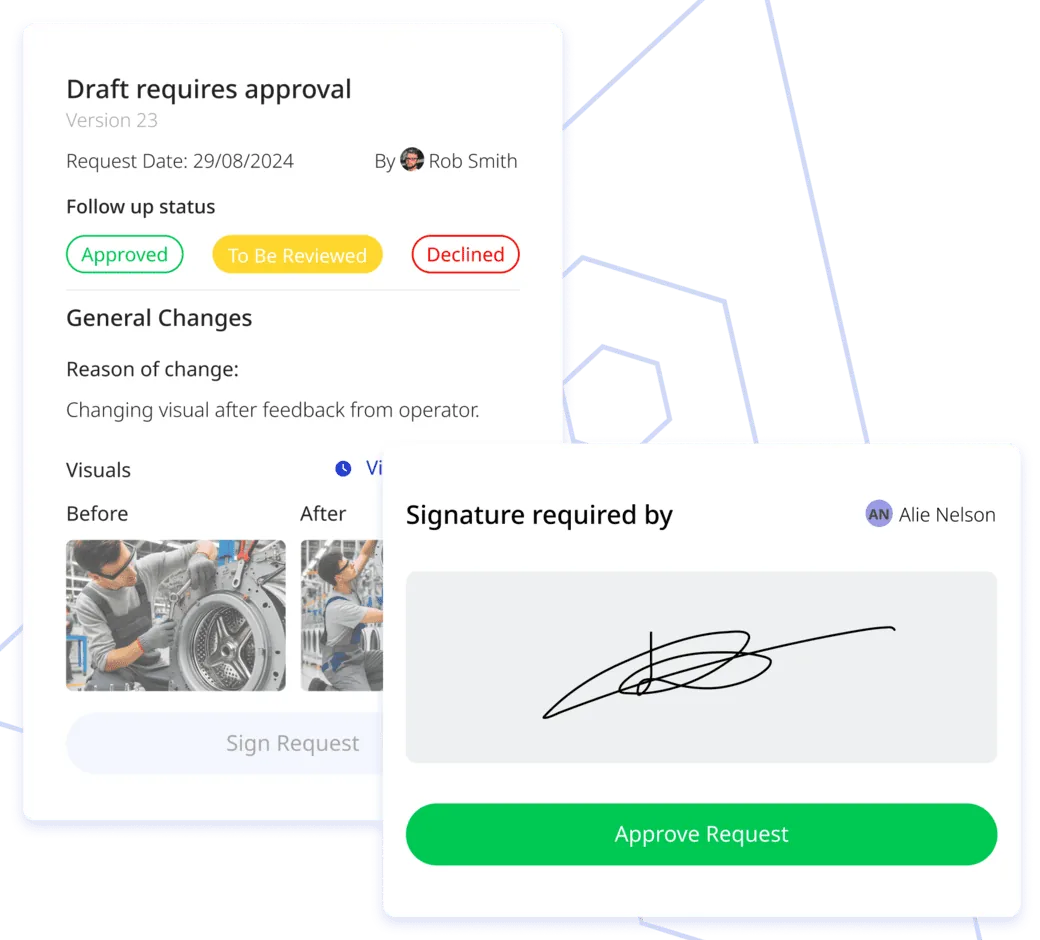
Every change is logged. A draft goes to the right reviewers, with the before and after on screen, and an e-signature before the new version reaches the floor.
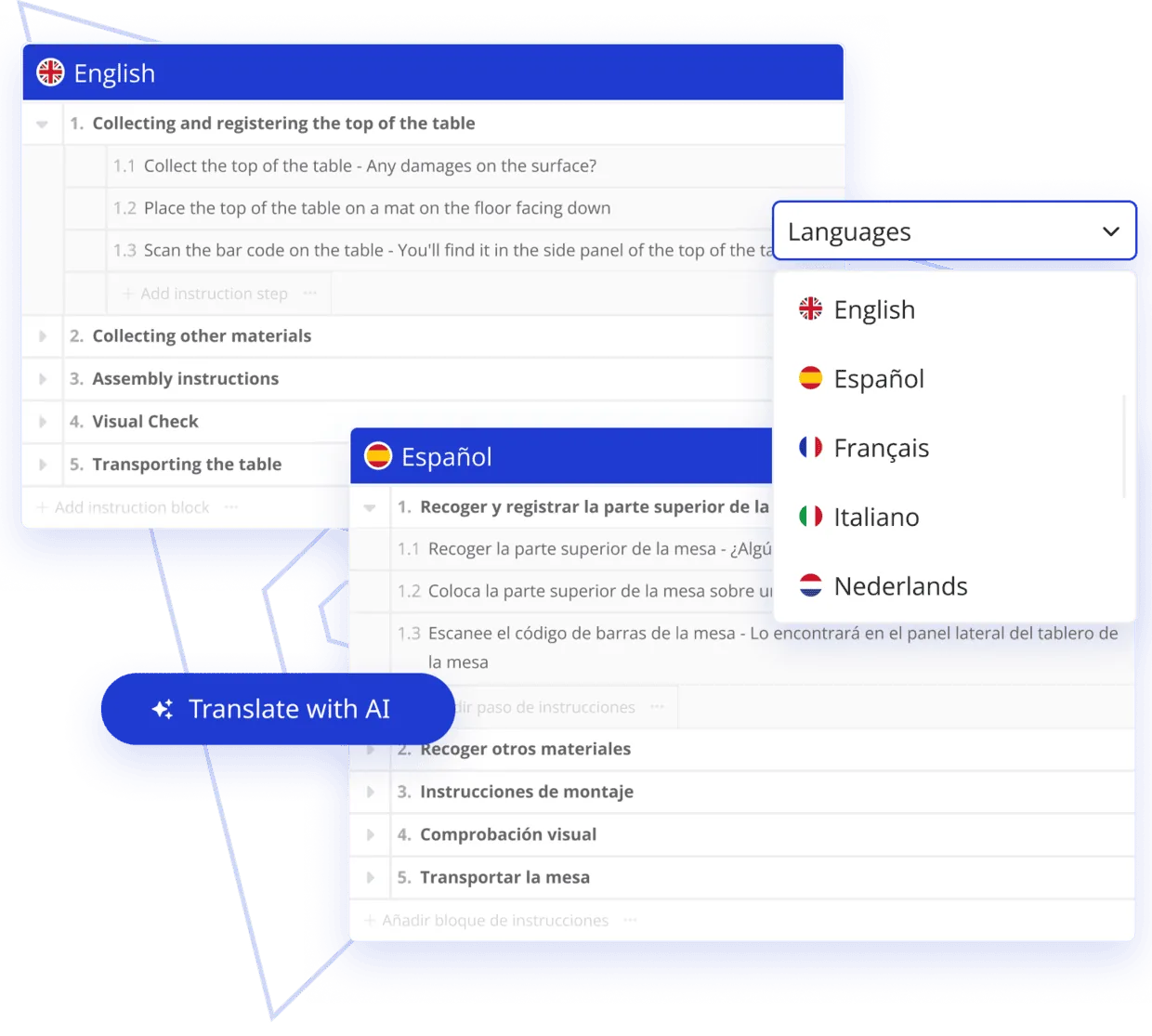
Translate once from the source instruction. Operators see the latest approved version in their own language, at every site.
PDFs and supported office documents, including Word files and slide decks. Bring a file from your library and we'll run it on the demo.
No. Review items stay linked to the source page. Nothing syncs to Azumuta until someone on your team approves it.
Yes. The local workflow keeps the file and the processing on your computer. The approved instruction syncs to your cloud or on-premise Azumuta environment. An AI-assisted workflow is available where your rules allow it.
It shows up as a review item: unused figures, unclear text, conflicting regions, and missing references to other drawings or manuals. You edit, exclude, or redraw the region before the instruction is created.
An editable work instruction with the approved steps and media. Your team can then edit, translate, version, and publish it.
Classification, extraction, review, and delivery into Azumuta, on a document you bring. Local and AI-assisted workflows are both in testing on customer documents. Source traceability and a human approval stay in every delivery.
Document Extractor turns an existing file into a Digital Work Instruction. After that, your team uses the rest of the platform: Quality Assurance, Audits & Digital Checklists, Skill Matrix & Training, Manufacturing Execution System, Dashboards & Reports, and Integrations to the tools already on the line.
Quality Assurance puts checks in the process, flags defects with tickets, and keeps product traceability. Audits & Digital Checklists run safety, 5S, maintenance, and compliance rounds from any device, with photos and a full trail.
Manufacturing Execution System links instructions to product orders and tracks execution on the floor. Skill Matrix & Training maps competencies, certifications, and training paths. Dashboards & Reports show live performance and quality data. Integrations connect ERP systems and shop-floor devices into the same flow.
Thirty minutes with a solution engineer. We run one of your files and walk the review with you.
Request a demo