
Gebruikersrechten: het tabblad Werkinstructies
Dit artikel behandelt het tabblad Work Instructions. Zoals de naam al doet vermoeden, gaat dit tabblad over werkinstructies-gerelateerde gebruikersrechten.

Welke configuratie-opties zijn beschikbaar?
Dit zijn de beschikbare configuratie-opties (klik op de afbeelding om te vergroten): 
- Indien aangevinkt kan de gebruiker werkinstructies in elk onderdeel bewerken.
- Indien aangevinkt kan de gebruiker werkinstructies openbaar delen.
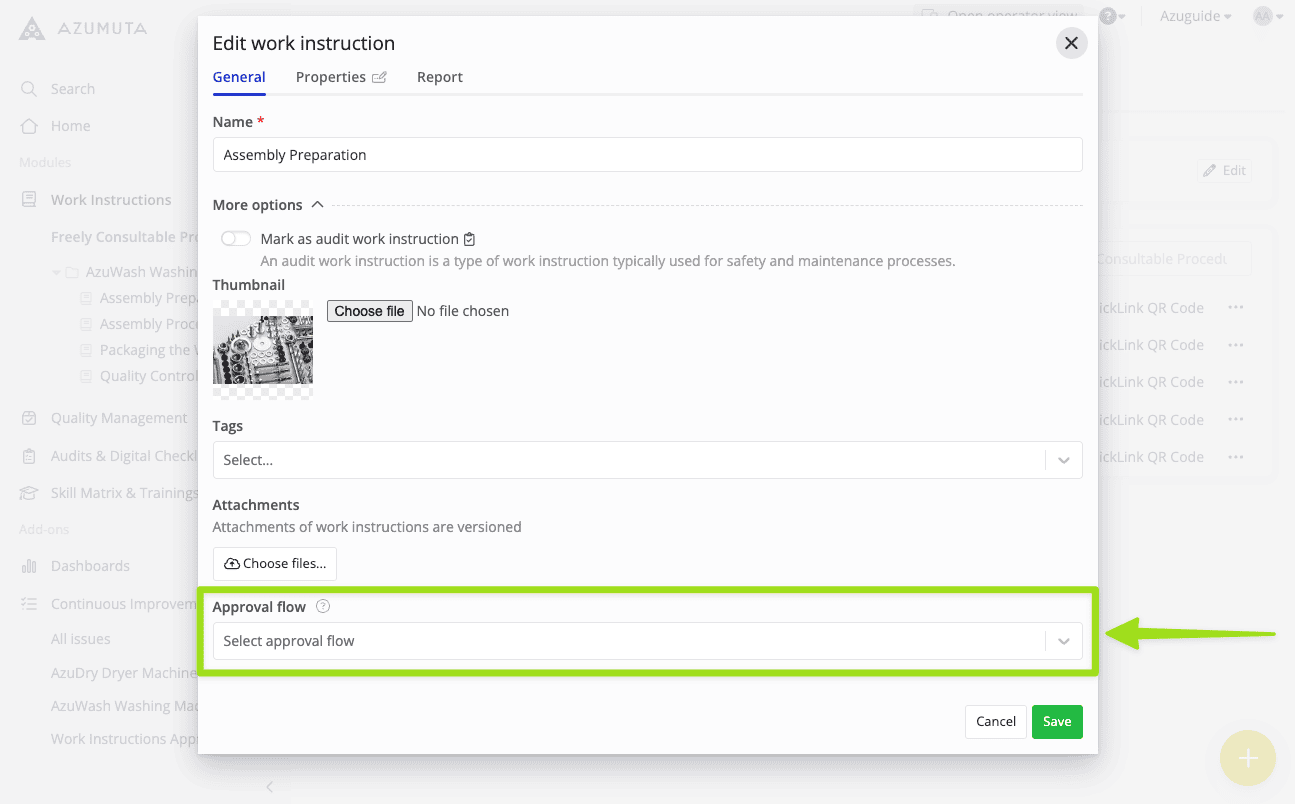
- Indien aangevinkt kan de gebruiker een goedkeuringsstroom selecteren voor werkinstructies, zoals in de onderstaande afbeelding:
- Indien aangevinkt kan de gebruiker werkinstructies goedkeuren.
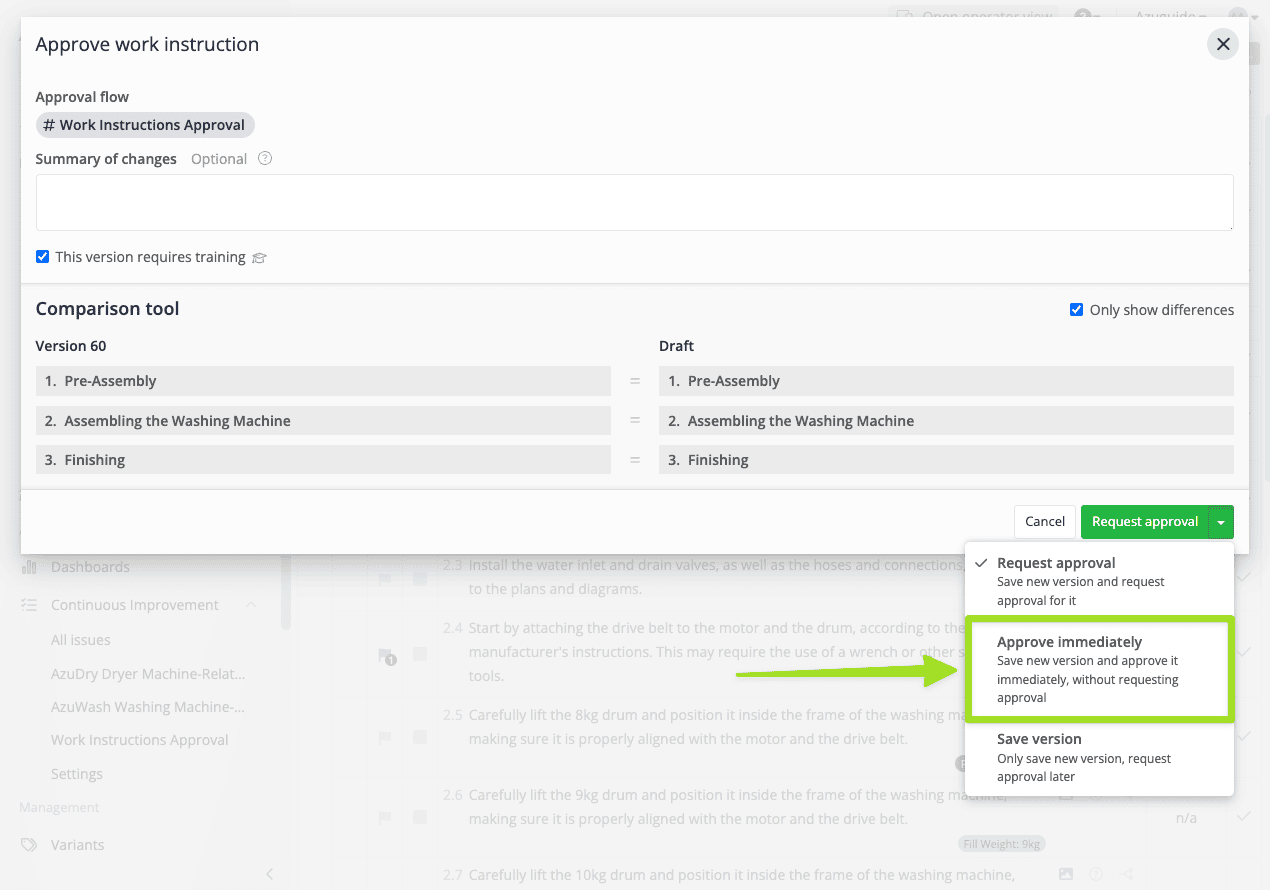
- Indien aangevinkt kan de gebruiker werkinstructies direct zelf goedkeuren — zonder goedkeuring te vragen aan de aangewezen managers in een goedkeuringsstroom. Deze optie geldt alleen voor werkinstructies die al aan een goedkeuringsstroom zijn gekoppeld. Zie de afbeelding hieronder om te zien waar de optie 'Approve immediately' zich bevindt:
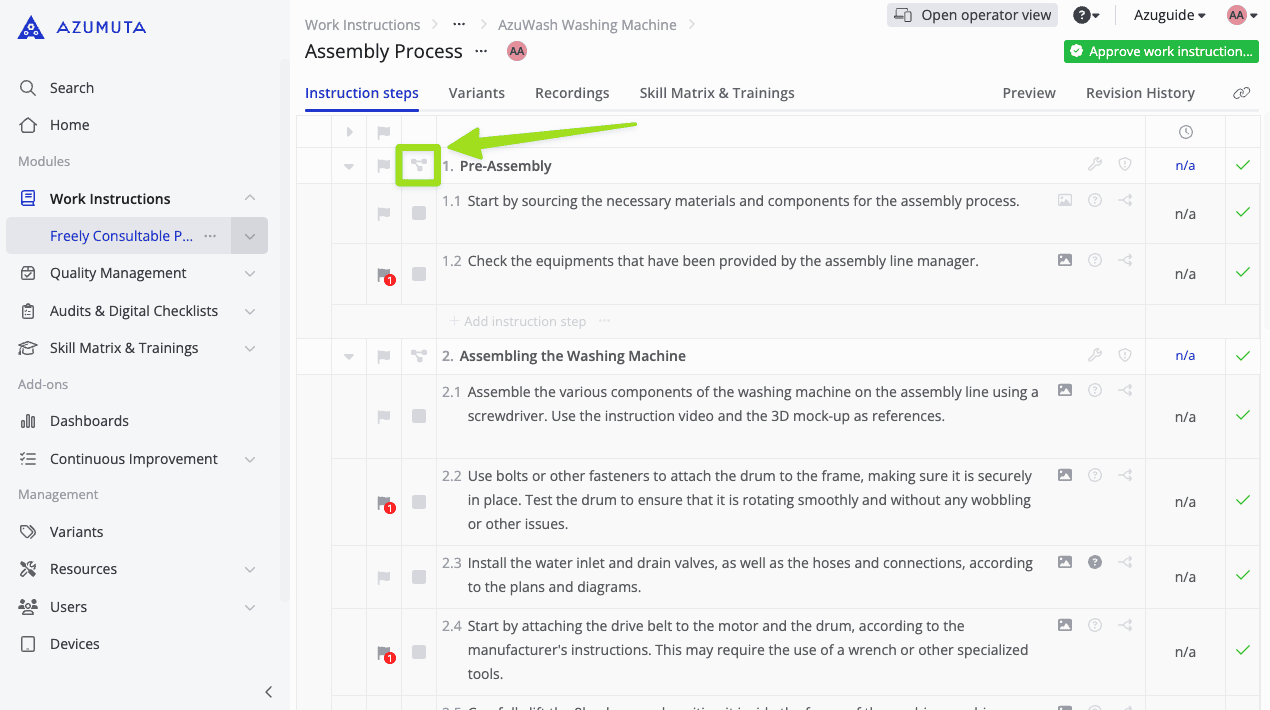
- Indien aangevinkt kan de gebruiker flowcharts zien. Een flowchart is een visueel diagram dat de volgorde van stappen binnen een instructieblok weergeeft. U kunt een flowchart openen door op het flowchart-pictogram naast een instructieblok te klikken, zoals in de afbeelding hieronder:
- Indien aangevinkt kan de gebruiker de lijst met problemen binnen een werkinstructie zien.


Opmerking: Om goedkeuringsstromen te creëren en de lijst met problemen binnen een werkinstructie te zien, heeft u toegang tot de Continuous Improvement add-on nodig. Neem contact met ons op via sales@azumuta.com voor meer informatie.
Op deze pagina