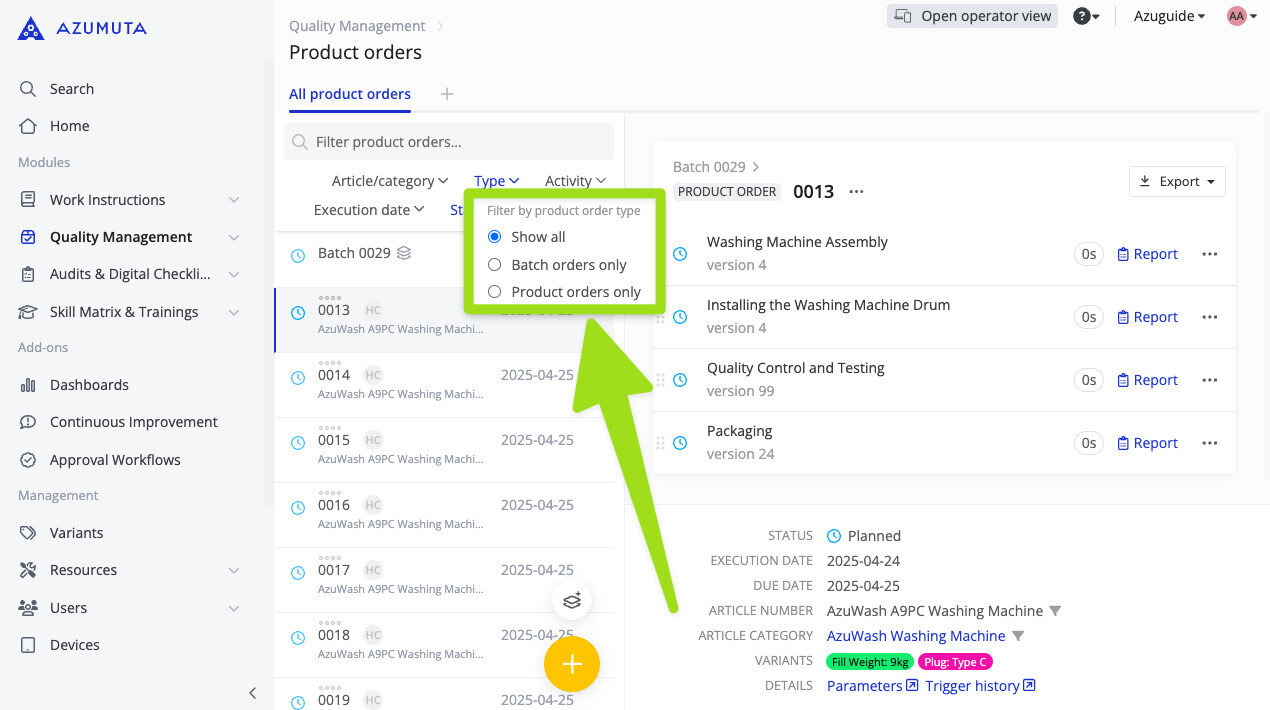
New Filter to Distinguish Product Orders and Batch Orders
We’ve improved our product orders functionality by adding a new filter in the product order view. Now, you can select whether to see only product orders/batch orders/both of them in this view.
This update helps users to focus on the specific type of orders that matter most to them at any given time—whether that’s editing a single product order or overseeing the execution of a large batch order.
This improvement is particularly useful for supervisors and managers who need to oversee and manage a high volume of orders on a daily basis. By reducing on-screen clutter and tailoring the view to their operational needs, they can navigate product orders & batch orders more efficiently and take the necessary actions faster.
See filtering, sorting and searching for product orders for more about this feature.