
Force-Finish a Product Order with Open Work Instructions
Sometimes a product order has to be closed out even though some of its work instructions are still open. Admins with the right permission can force-finish such an order, recording a required reason and, if needed, raising a linked improvement issue.
Before You Start
Force-finishing is gated behind the force finish product orders right, so grant it to the roles that should be able to close incomplete orders. The Force finish product order button only appears on an active order that still has open work instructions.
Force-finish a product order
- Go to Quality Management › Product orders and open the active order.
- In the order's footer, click Force finish product order.
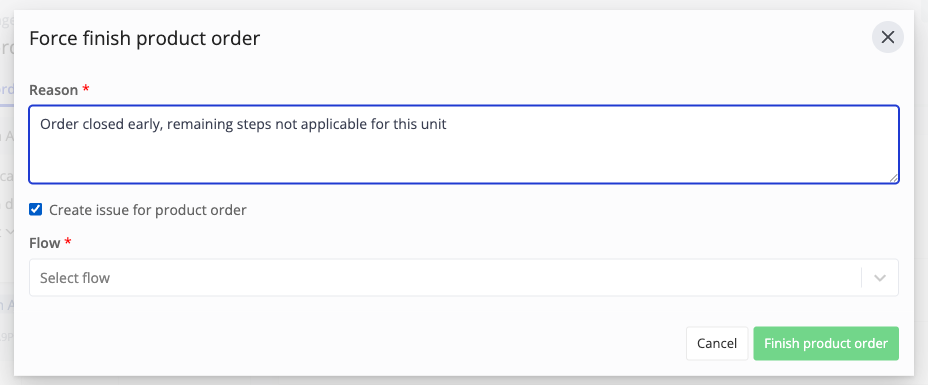
- In the Force finish product order dialog, enter a Reason. This field is required.
- Optionally tick Create issue for product order and select a Flow to raise a linked improvement issue that reuses the reason.
- Click Finish product order to confirm.
Any open work instructions on the order are closed as cancelled, with whatever was already recorded on them kept, the reason is stored on the order, and its status changes to finished.
What You See Afterward
The product order keeps a warning banner reading "This product order was finished with open work instructions", with the reason shown beneath it, so it stays clear that the order was force-finished and why.
Learn more about user rights and monitoring product orders in Azumuta.