
The Amount of Product Orders per Status Table Widget (Grouped Based on Batches)
What Is Displayed in This Widget?
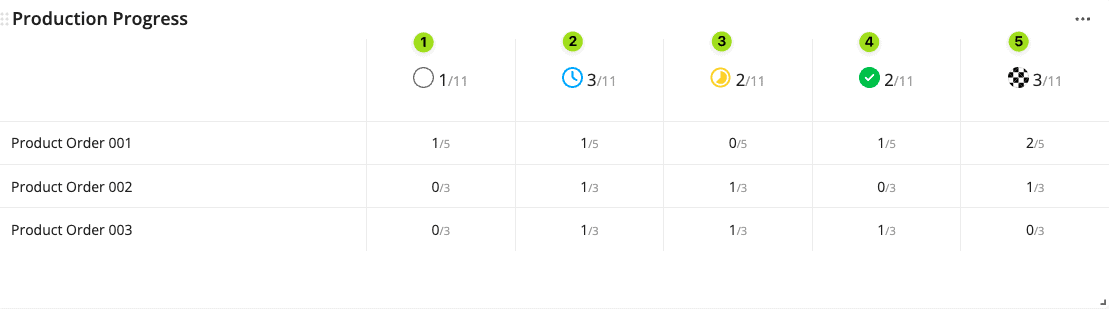
This widget shows you the status of existing product orders on your workspace, grouped based on batch order number.
A product order can have any of the five statuses:
- Not active
- Planned
- In progress
- All complete
- Finished
Deploy this widget
Please follow the steps below to deploy this widget to a new dashboard. However, if you would like to deploy this widget to an existing dashboard, then you can navigate to that dashboard and start from step No.4 instead.
- Click Dashboards on the side panel.
- Click the plus icon under Dashboards.
- Type in the new dashboard name.
- Click the yellow plus button on the bottom right of the screen.
- Navigate to Amount of product orders per status table widget (batches) under the Product orders widget category, and click Create.
- Select the article or article category that is linked to the product orders.
- Click Add.
- Adjust the widget’s size as desired.
Configuring the Widget
Check out how you can configure an Azumuta widget in the widget configuration guides.