Basic Tags on a Docx Report
What Is a Tag?
A tag is a text-based command that will automatically transform into a specified product order data on a docx report. You can input the desired tags when editing a docx report on Microsoft Word.
Note: Before following the steps below, you must first link a docx report to an article category.
Basic Tags
Here are the basic tag formulas that you can input into your docx report, and which information it will display once it has been linked to a product order:
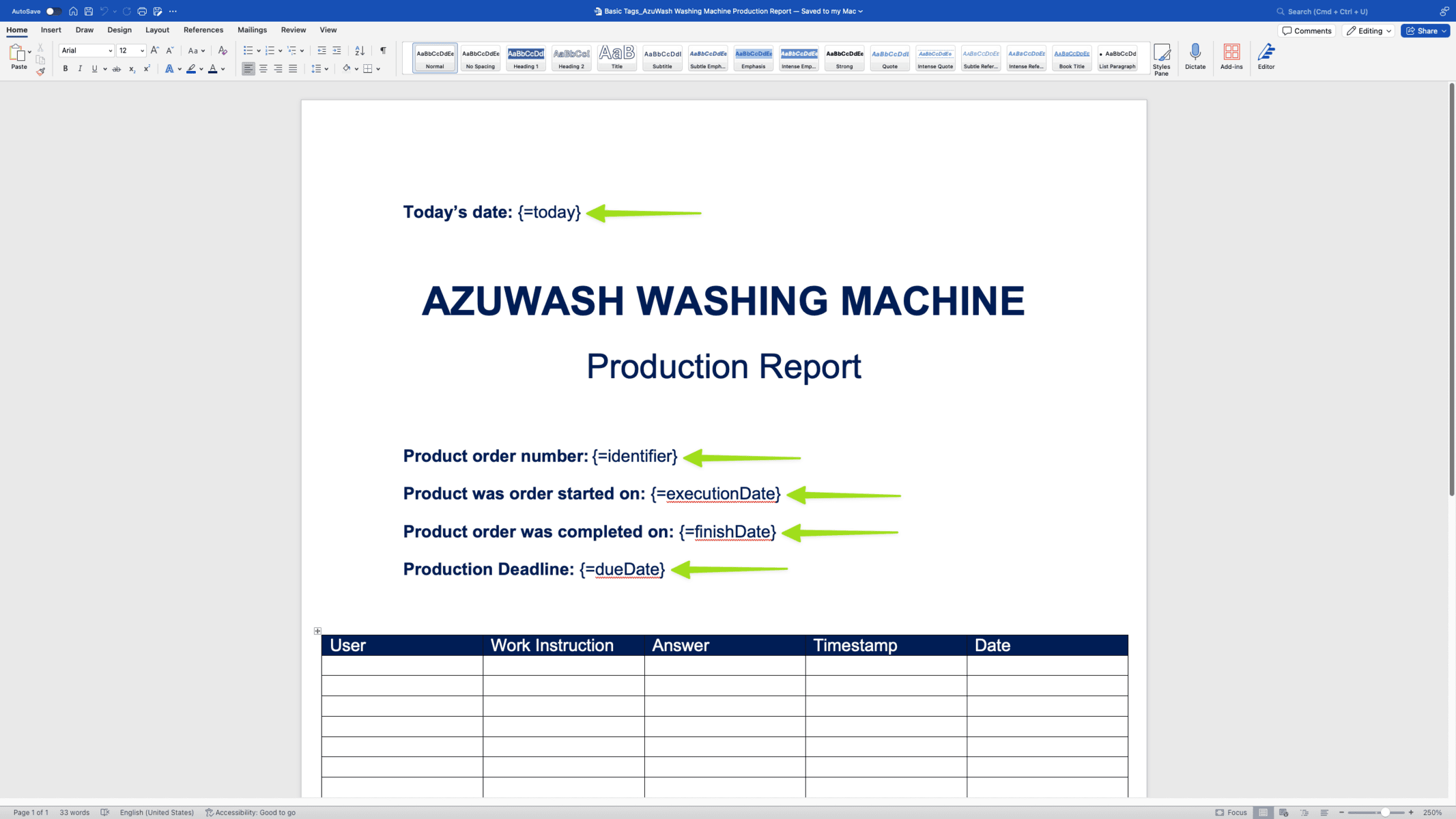
- {=identifier}: The linked product order number.
- {=today}: The date when the docx report is downloaded.
- {=finishDate}: The date when the product order was finished (if it has been finished).
- {=executionDate}: The date when the product order was planned to be started. (if filled in during the creation of the product order).
- {=dueDate}: The deadline date of the product order (if filled in during the creation of the product order).
Example
For example, these are the tags that we included on our docx report:
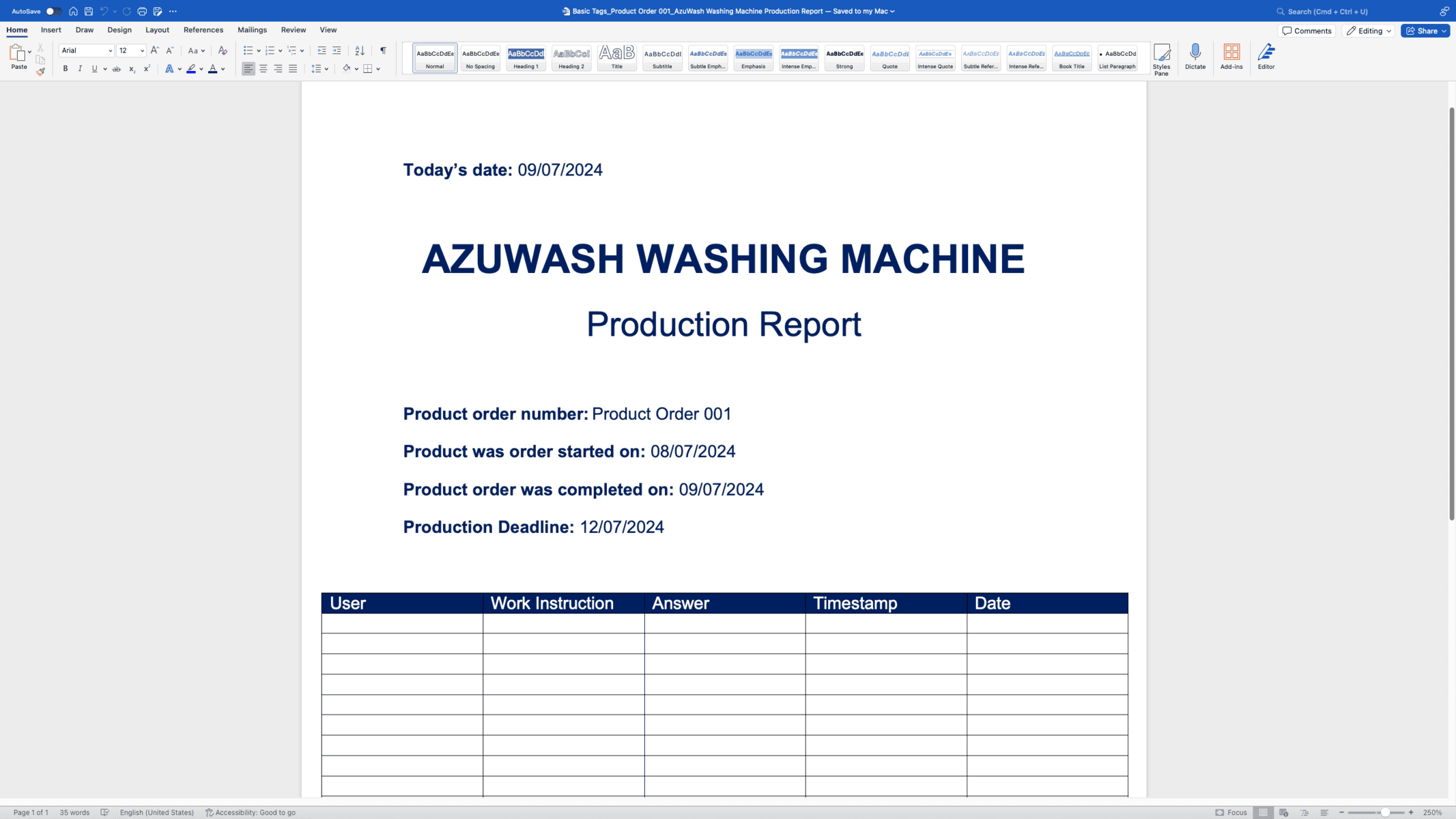
Meanwhile, the image below is the docx report that we downloaded after we linked it to a product order. You can see how the tags above have been automatically transformed into real-world product order data:
See how to download a docx report from a product order.