
Review Training Mode
A review lets an operator who is already competent on a work instruction catch up on a new version without redoing a full training. They go through what changed, and their existing training level carries over to the new version instead of dropping.
There are two ways to run a review: as a training the operator plans for themselves without a trainer, or directly during a product order. Both rely on how you mark up the new version when you approve it.
Set Up What Operators Review
When you approve a new version, the approval modal controls what a reviewer is shown and asked to confirm:
- This version requires training marks the version as one operators must be retrained on or acknowledge. When reviewing during a product order is enabled for your company, the same option is labelled This version requires acknowledgment from operator and/or training.
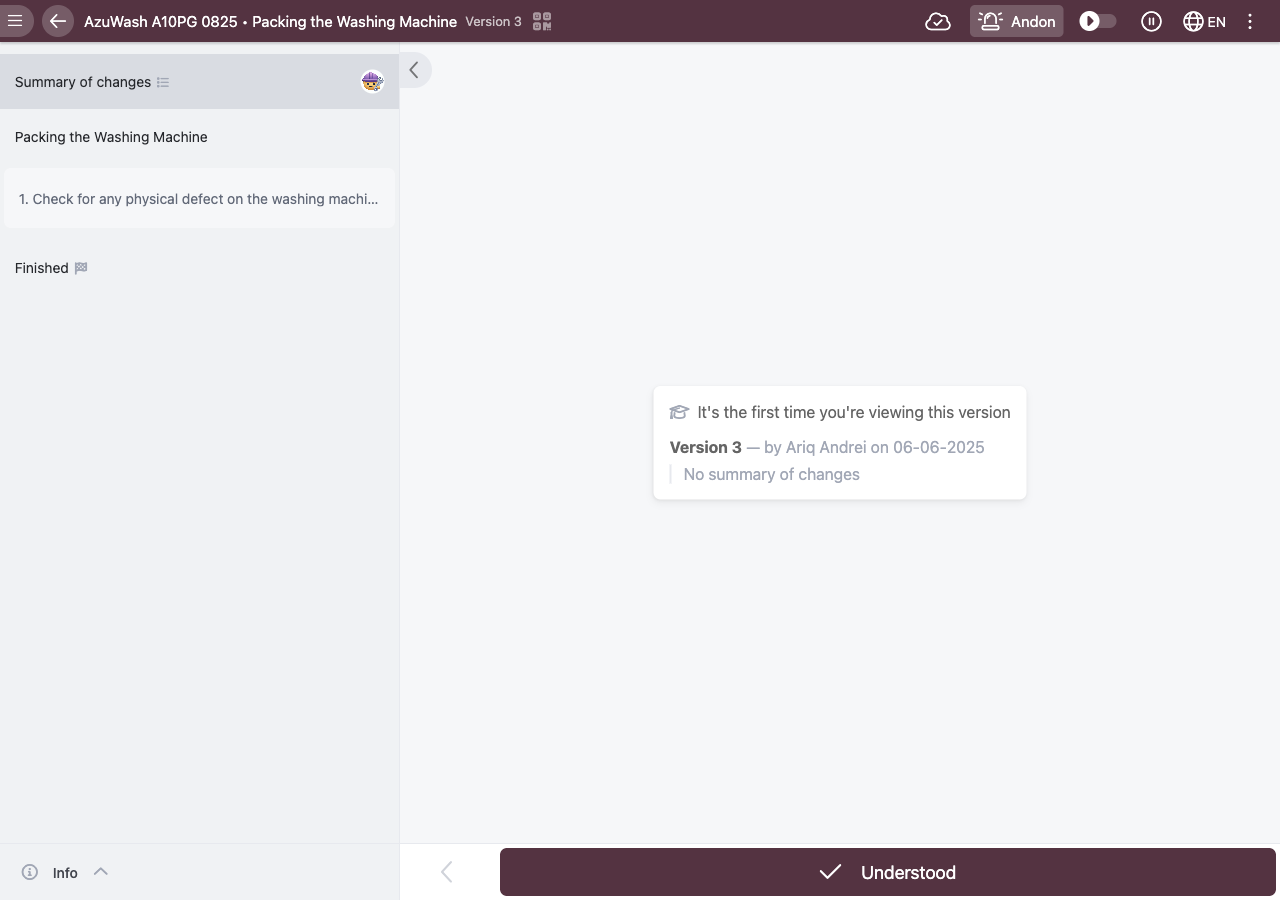
- Summary of changes is a short description of what changed. You can write it for the whole version and per step, and the reviewer reads it while going through the update.
- On each changed step you can require a confirmation:
- Needs trainee confirmation during training: the operator confirms the step themselves.
- Needs double check during training: a second person, for example a supervisor, also has to confirm the step. This is available when double-checks are enabled and the step already needs a trainee confirmation.
Reviewing as a Self-Planned Training
An operator (or an admin) can plan the review as a training with no trainer:
- Open Plan training and select the Work instruction, a Start date and End date, and the Trainees.
- Leave Trainer empty. A note confirms the effect: "Training without trainer, the current trainee training level will be kept".
- Plan the training. The operator then steps through the changed steps, confirms each one, and keeps their existing training level, now recorded against the new version.
Reviewing During a Product Order
When reviewing during a product order is enabled for your company, operators acknowledge the changes while running a product order on the updated version, instead of in a separate training:
- The operator starts a product order on the updated work instruction and confirms the changed steps as part of the order.
- On finishing the order, the new version is recorded as acknowledged, and the operator's training level is carried over to the new version.
You can see who acknowledged what: each review shows in the Training History as a Changes acknowledged entry, and you can filter the product order list with Only show product orders with version acknowledgements.
Precondition: reviewing during a product order is gated behind a company feature flag (an experiment). If operators are not offered the review during an order, ask your Azumuta contact to enable it for your account.
Learn more about planning a training via the app as an operator and executing a planned training in Azumuta.